

Open source Learning Management Systems have become extremely popular in recent years, but what does open source mean? Open Source technology is technology where the source code is “open”, that is, the code is available to the public and free to be modified. Improvements can be made by developers and it can be spread or sold to the wider community. So, why should an organization choose an open source Learning Management System as opposed to a homegrown or proprietary LMS?
Open Source LMSs can also be converted to social learning platforms. You can create an online community through your LMS. For example your learners can chat, blog, connect to social network sites (facebook etc.) and have polls on your open source LMS.
Top 6 Open Source Learning Management Systems
With the huge number of Learning Management systems available today, making the decision on which platform to choose can be quite overwhelming. Below I have written brief explanations on 6 of the best systems currently available.
Moodle
Moodle is an abbreviation for “Modular Object-Oriented Dynamic Learning Environment” although when it was first developed the M stood for Martin’s after its developer, Martin Dougiamas. Moodle has been around for over ten years, with the first version in August 2002.
Features:
.LRN
.LRN (dot learn) was originally developed at MIT and is used by almost 500,000 people in educational institutions, corporations and government in over 18 countries.
Features:
However, its main flaw is that it has a very diverse interface with many inconsistencies.
eFront
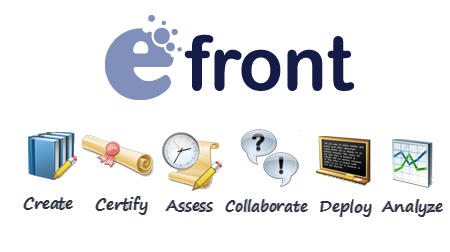
The basic version of eFront is exactly that, basic, but this can be amplified with modules downloadable from the eFront site. The thought process behind this decision was so that users spend time learning new skills, not learning how to use the platform. There are two efront LMS platforms, an educational edition and an enterprise edition. The enterprise edition was aimed at medium sized enterprises with between 100 and 10,000 employees. Extensive research on organizations of this size was conducted before development began.
Features:
Dokeos

This particular LMS is available in three versions, the original free open source version, a pro version and a specific medical version. It is possible to build visual learning without graphical expertise.
Features:
Sakai
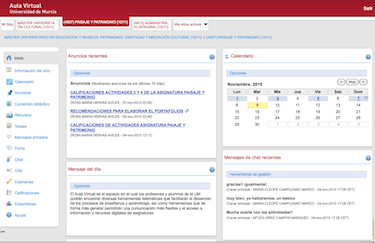
Sakai was designed by universities, for universities. It was built by MIT, Stanford and Berkeley amongst others so they did not need to use homegrown systems or pay vendors. It aims to be very well suited to group projects and describes itself as a Collaborative Learning Environment (CLE).
Features:
Because Sakai is mainly coded in Java it can cause problems, especially if using older versions of browsers. It can also be difficult to find programmers with Java skills.
ATutor
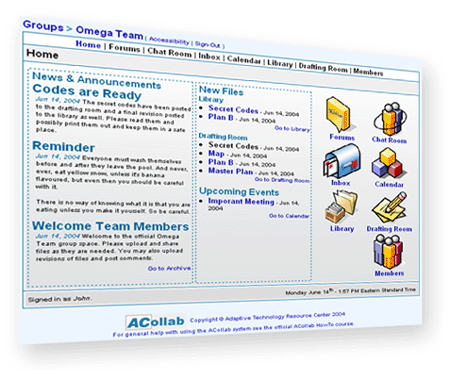
ATutor differs slightly from the other systems as it is actually a Learning Content Management System (LCMS). The A stands for accessible, and accessibility is its best feature. Also, user navigational patterns can be tracked so instructors can see students use of the site and students can track their own use.
Features:
A negative aspect of this particular platform is that the Java Runtime Environment must be installed on the client side for SCORM tracking. Also, course elements can’t be bookmarked.
Conclusion – To conclude, of the six Learning Management Systems listed above, Moodle is by far the most popular, and in our opinion, the best. It has over 62 million users worldwide. On top of the features listed above, here are some other reasons we believe Moodle should be your number one choice for an open source Learning Management System.
Repositories – With Moodle it is very easy to import files from Flickr, Google Docs, Dropbox, Youtube etc. These files can all be saved together in one location for ease of access later.
Discussion boards – The Moodle Community is full of discussion boards in many different languages, therefore users can communicate with people from outside your organization as well as your employees.
Support – There are a plethora of support options for Moodle users. On the Moodle site you can find books and manuals, documents including frequently asked questions, and a forum where you can ask questions. The forums usually have plenty of other users and even computer programmers who are happy to offer help, advice and recommendations, whatever the issue.
For more info on our moodle services, please feel free to contact us by phone or email!

Follow us!


